RavenMessage
Trusted by Thousands of Users

Professional WhatsApp Automation for Your Business

Send messages naturally and safely. The best WhatsApp sender software for Windows with a lifetime license.
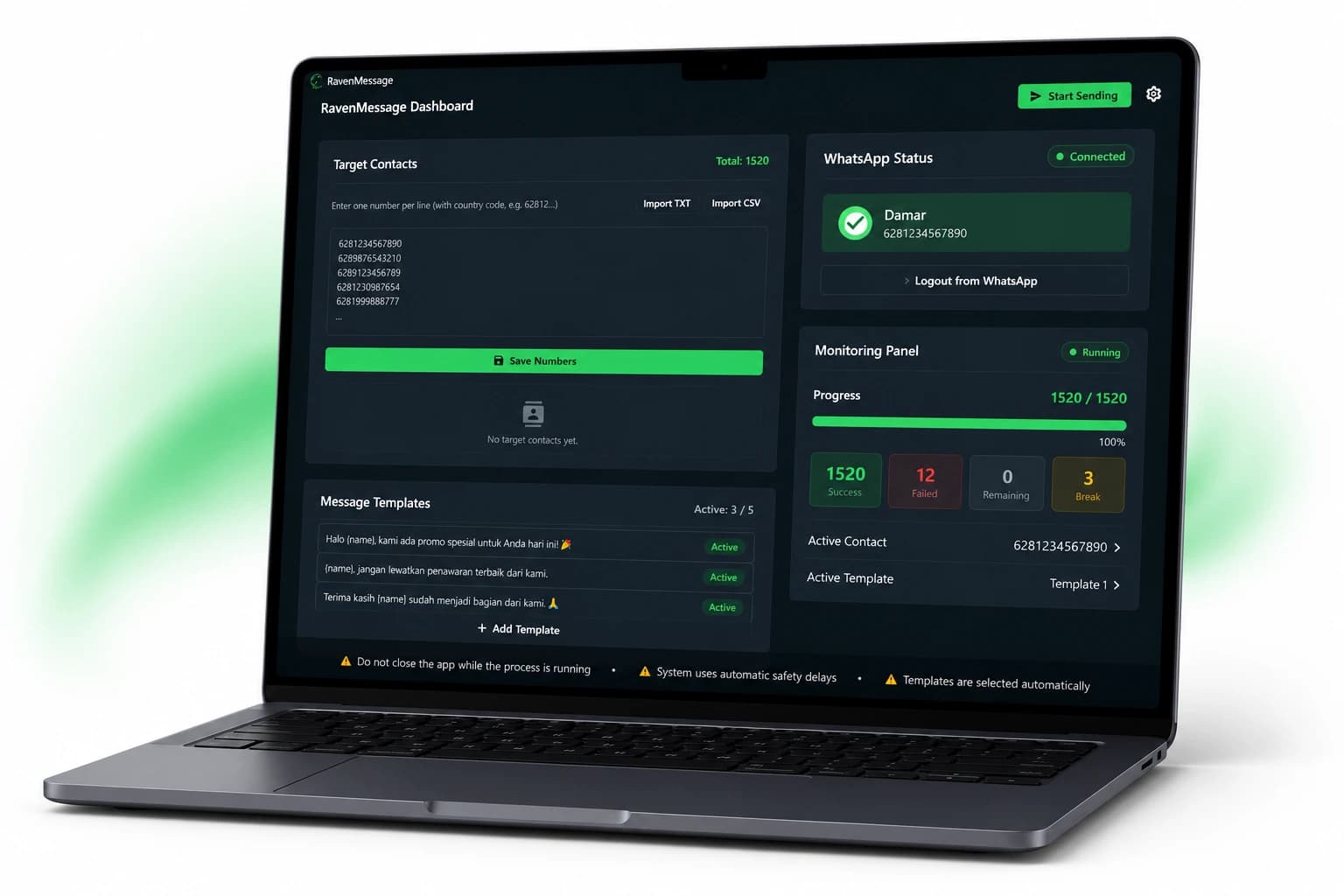
RavenMessage Application Interface
Lifetime License
One-Time Purchase
Windows Compatible
Human-like Sending

Take a Closer Look

Professional UI specifically designed for your workflow comfort.
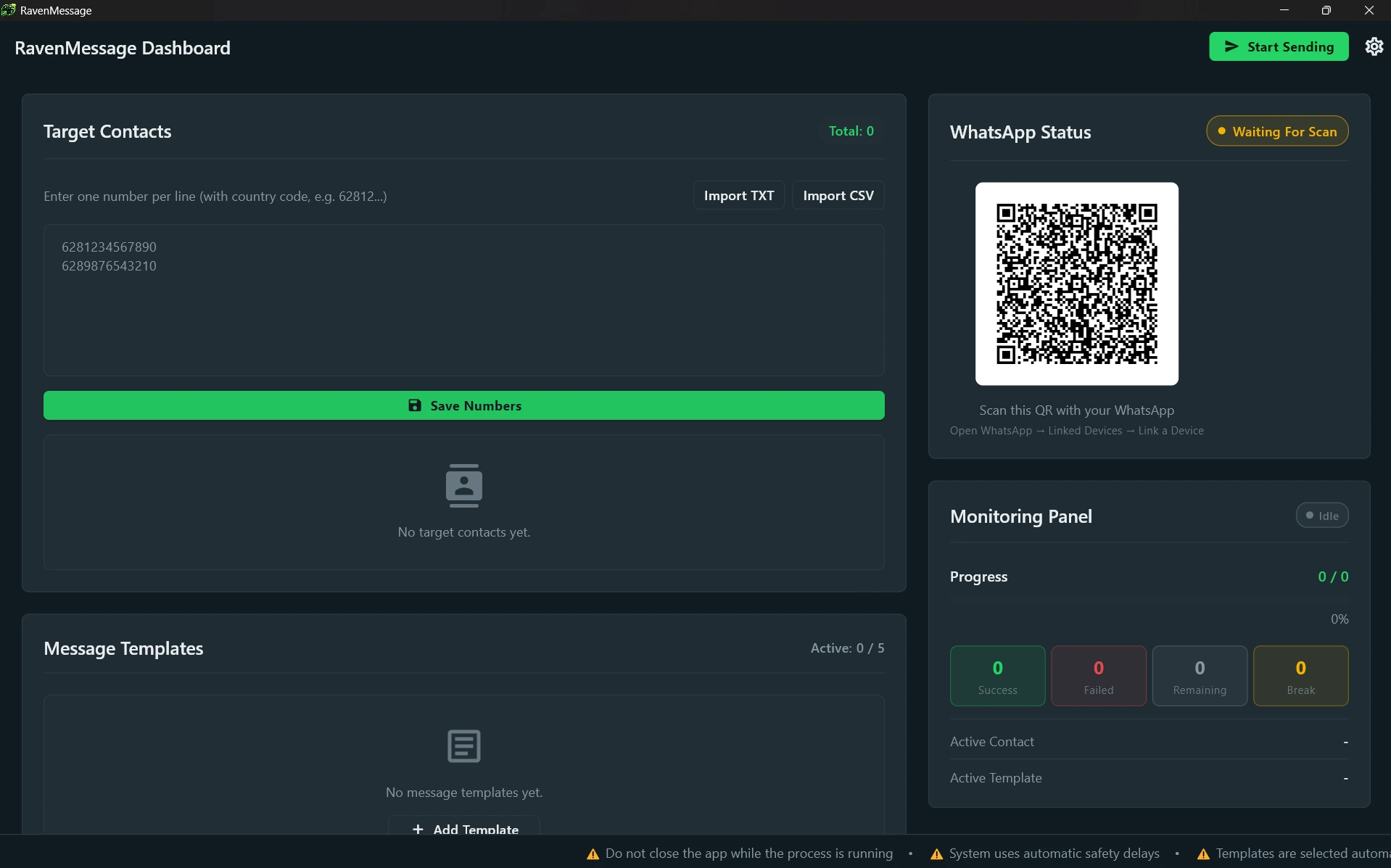
RavenMessage Full Dashboard
Click to Enlarge

What You Can Do with RavenMessage

Send Bulk Messages

Send messages to multiple numbers simultaneously without saving contacts one by one.

Human-like Sending

Smart delay management to make your messages look like they are sent by a real human.

Lifetime License

Buy once and use it forever with no monthly subscription fees.

Easy Contact Import

Pull contact data from Excel or CSV with just a few clicks.

Session Management

Use multiple WhatsApp numbers in one application at the same time.

Automatic Message Queue

Messages are queued intelligently to ensure stable delivery.

Smart Contact Filtering

Automatically separates active and inactive WhatsApp numbers.

Simple & Modern Interface

A clean and neat interface, allowing you to use the app immediately without reading complicated technical guides.

Why Switch to RavenMessage?

Manual Workflow

  • Sending messages one by one
  • Extremely time-consuming
  • Messy contact management
  • Tedious and exhausting process

RavenMessage

  • Import hundreds of contacts instantly
  • Automation saves you precious time
  • Nicely structured contact data
  • Click once and let the system do the work

How RavenMessage Works

1

Import Contacts

Insert your number list from Excel or CSV.

2

Automatic Validation

The system validates the numbers automatically.

3

Connect WhatsApp

Scan the QR Code to login to your WhatsApp.

4

Review Campaign

Review your messages and targets before sending.

5

Start Sending

Write a message and hit the send button.

6

Delivered

Leave the app running, messages are sent automatically.

Video Demo Gallery

Watch RavenMessage in action in real-world scenarios.

Using RavenMessage

Using RavenMessage

See how to import contacts, set templates, and send messages.

Why Choose RavenMessage?

Save Your Time

Automate messaging so you have more time for other important things.

Increase Productivity

Reach thousands of potential customers with just one click.

Very Easy to Use

No technical skills required, our interface design is extremely user-friendly.

No Monthly Subscription

You don't need to worry about monthly bills. Buy once, yours forever.

Perfect For

Small & Medium Business

Digital Marketing Agency

Freelancer

Sales Team

Customer Service

Property Agent

Automotive Dealer

Education

Event Organizer

Why People Choose RavenMessage

One-Time Purchase
Lifetime License
Human-like Sending
Modern Interface
Easy Contact Management
Fast Setup
Built for Windows
Professional Workflow

Affordable Pricing, Maximum Value

No monthly fees. Get your lifetime license today.

🔥 Promo Launch

Lifetime License

$59$29
  • Lifetime License
  • One-Time Payment
  • No Monthly Subscription
  • Human-like Sending Workflow
  • Smart Contact Validation
  • Easy Contact Management
  • Windows Desktop Application
  • Modern User Interface
  • Free Future Minor Updates
  • Multi-language Interface
  • Local License Verification
  • Fast Local Engine Startup
  • Automatic Engine Integration
  • Built for Business Workflow
Buy Now

License activation is sent automatically to your purchase email via Lynk.id.

1 License = 1 Device
Lifetime Activation
Instant Delivery
Email Delivery

Frequently Asked Questions

What is RavenMessage?
RavenMessage is a Windows software to automate mass WhatsApp messaging naturally and efficiently.
Is the license valid forever?
Yes! Pay once, and you can use it for a lifetime.
Are there any monthly fees?
None at all. We hate monthly subscriptions as much as you do.
Can it be used on other computers?
One license is valid for one Windows hardware device. If you have a team, you can purchase additional licenses.
How to activate the license?
The license key will be sent instantly to your email by Lynk.id after a successful payment.
How do I get updates?
Minor update notifications will appear inside the app. You can download them for free.
Is it suitable for beginners?
Absolutely! We designed the interface to be as easy as possible so anyone can use it without a technical background.
How to contact support?
You can reach us through our official Email or WhatsApp at any time.

Need Help?

Our support team is ready to assist you in solving your problems.

WhatsApp Support

+6281122334455

Contact Support

Email

support@ravenmessage.com

Email

Response Time

Mon - Fri (09:00 AM - 05:00 PM GMT+7)

Placeholder for Social Proof

Testimonials and user reviews will be added here in the future sprint.

Ready to Save Time Sending WhatsApp Messages?

Join thousands of other businesses who have increased their sales with RavenMessage.

Secure and encrypted payment via Lynk.id.